
Latent, free app
Bring back the shots you thought were lost.
Recover deleted photos, RAW files and clips from memory cards and external drives. Free, on your own computer. No account, no subscription.
Coming soon for Mac and Windows
Free, for Mac and Windows. Downloads open here when the first version is released.

Latent’s own screens, scanning a test card. Photographs: Signature Edits
How it works
From lost to found, in four steps.
-
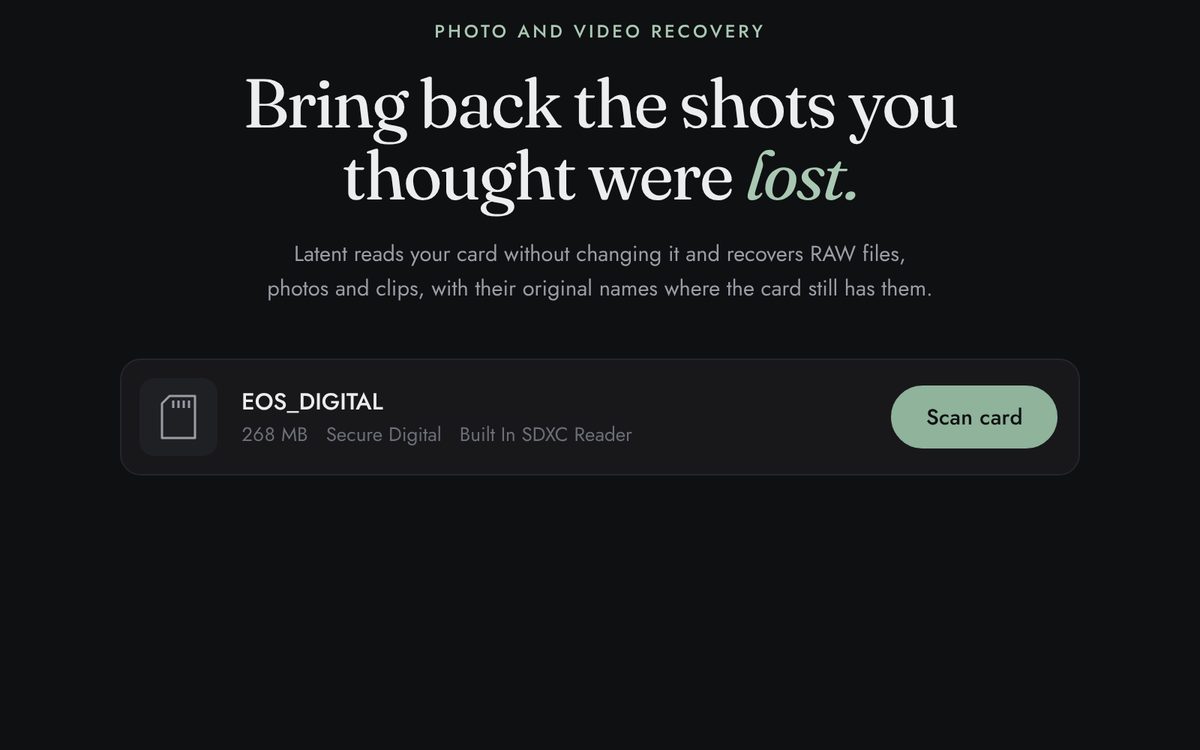
01
Insert the card
Put the card in your reader or connect the drive. Stop shooting on it first: new photos can overwrite the ones you want back.
-
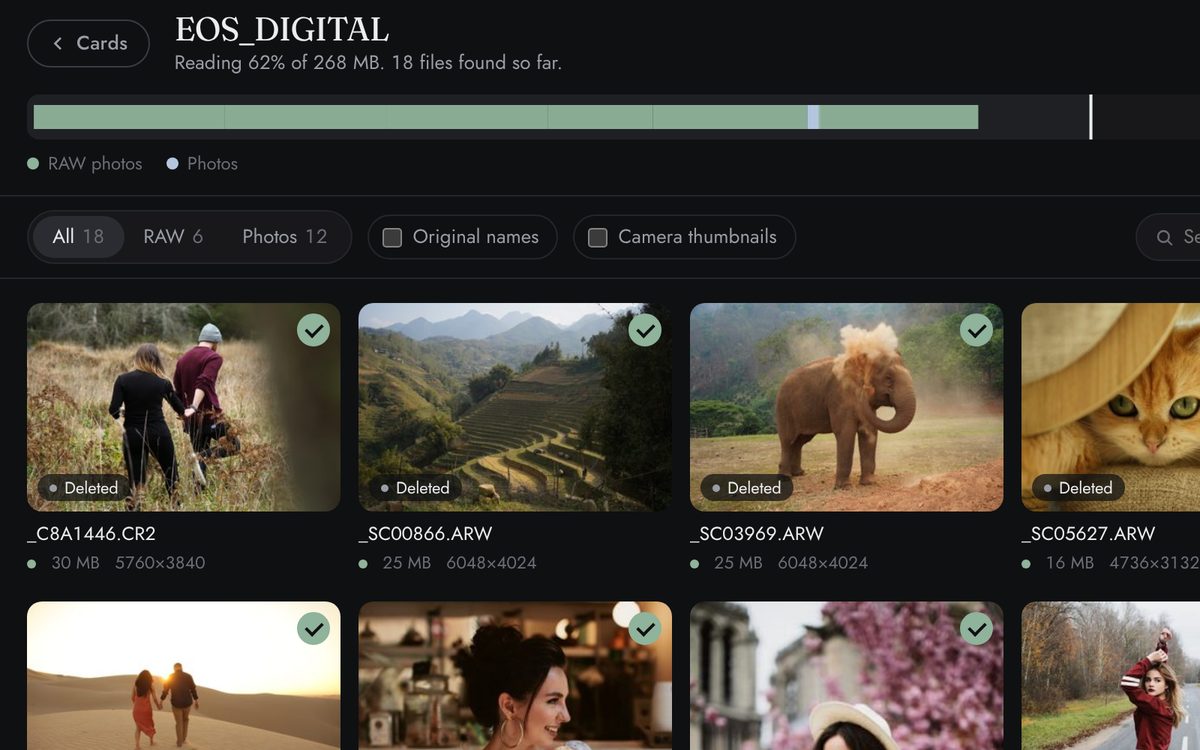
02
Scan it
Choose the card. Latent reads it from start to end and shows each photo and clip as it is found, with its original name where the card still has it.
-
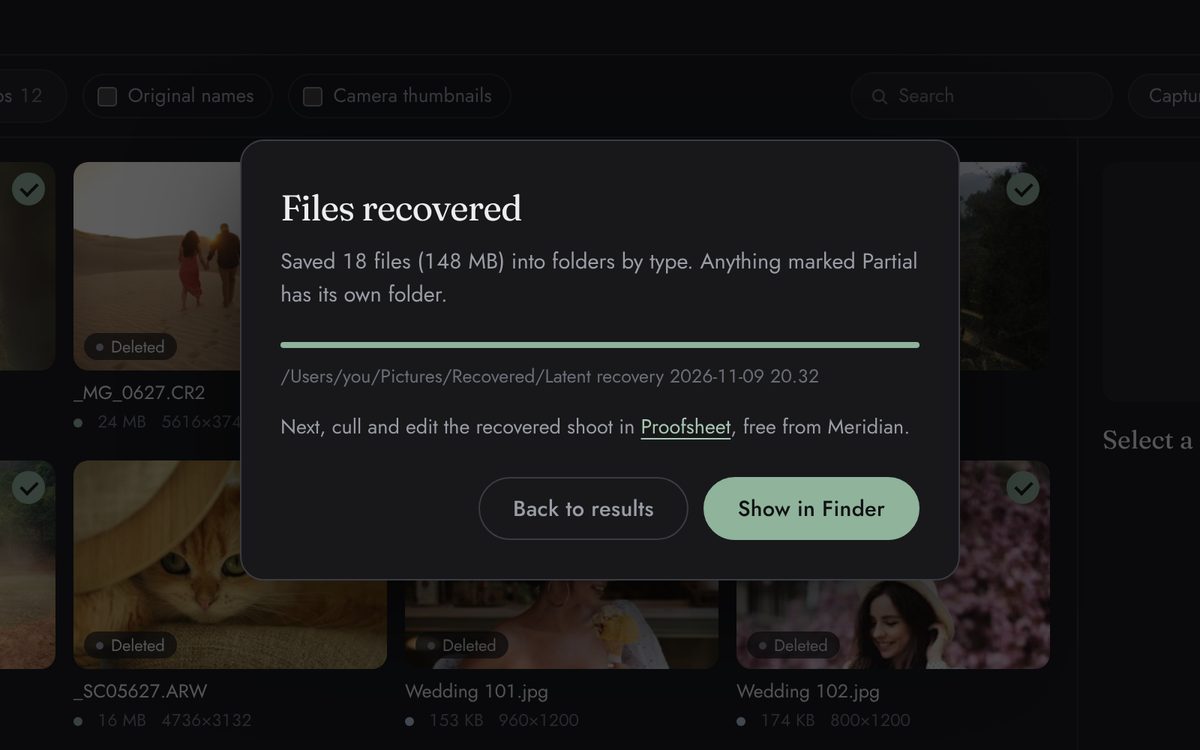
03
Pick and recover
Choose what to keep and recover it to a folder on your computer, sorted into RAW photos, photos, video, audio and sidecars.
-
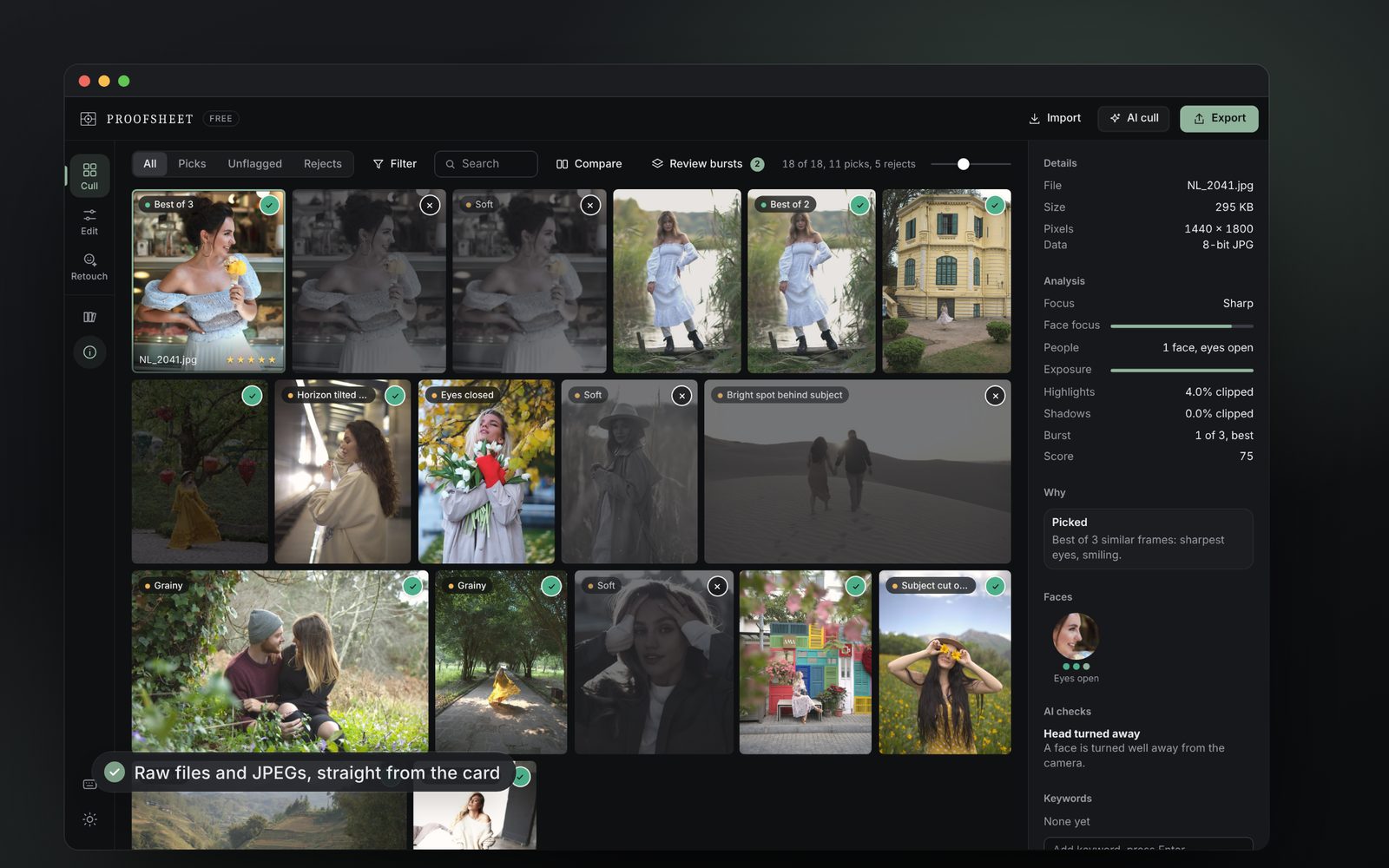
04
Cull in Proofsheet
Open the recovered folder in Proofsheet, our free app for culling and editing, and find the keepers. About Proofsheet


Safe by design
What it never does.
Never writes to the card
Cards are opened read-only, and Latent won’t save recovered files back onto the card it is rescuing.
Never your computer’s own disk
Latent lists memory cards and external drives. The disk your computer starts from never appears and can’t be opened.
No internet connection
Latent makes no network connections. Your photos stay on your computer, and nothing is sent to us or anyone else.
No account
Nothing to sign up for and no subscription. It’s free, like Proofsheet.
What it finds
RAW, photos, video and more.
Latent finds files by their structure, not the card’s file system, so it works after a delete, a quick format in camera or a corrupt card. Original names and dates come back where a FAT32 or exFAT card still has them.
- RAW
- Canon CR2 and CR3, Nikon NEF, Sony ARW, Fujifilm RAF, Adobe DNG (including DJI, GoPro, Leica and Pentax), OM System and Olympus ORF, Panasonic RW2, Pentax PEF, Samsung SRW, Hasselblad 3FR, Epson ERF, Kodak DCR, Mamiya MEF
- Photos
- JPEG, HEIC and HEIF, AVIF, PNG, TIFF, WebP, camera THM thumbnails
- Video
- MP4, MOV, Apple ProRes, AVCHD (MTS and M2TS), MXF, AVI, 3GP, DJI, GoPro and Insta360 clips, and Sony XAVC, Blackmagic RAW, Canon CRM and RED R3D
- Audio
- WAV, Broadcast WAV, RF64 and BW64, M4A
- Sidecars
- XMP from Lightroom and Capture One, and LRF, LRV and THM proxies where the card still has their names
Not yet tested with files from real cameras: Blackmagic RAW, RED R3D, Canon CRM and Sony XAVC are recognised by their structure, but haven’t been tried on real clips yet. Panasonic RW2 files come back at an estimated length unless the card’s folder still lists them.
Download
Get Latent.
Free, for Mac and Windows. Recover to a folder on your computer or another drive, never onto the card itself.
Mac
For macOS 11 or later, on Apple silicon and Intel. It asks for your Mac password each time you open a card, so it can read it.
Coming soonWindows
For Windows 10 and 11. It asks for administrator permission when it starts, so it can read cards.
Coming soonPrivate by design: no data leaves your computer. Privacy notice
Latent’s licence and the open-source software it uses are listed in the app, under About.
Questions, answered.
More in the help centre: read the Latent guide or raise a ticket.
Will it change my card?
No. Latent opens cards read-only and won’t save recovered files back onto the card. On a Mac, macOS itself may write small housekeeping files (for Spotlight, for example) to any card it has mounted; Latent never does.
Can it scan my computer’s own drive?
No. Latent lists memory cards and external drives, never the disk your computer starts from. On some Windows PCs whose settings mark internal disks as hot-pluggable, a second internal data disk can appear in the list too. It’s opened read-only like a card, so nothing on it can be changed.
I formatted the card in camera. Can I get the photos back?
Usually, if you haven’t shot on it since. A quick format leaves the photos in place. A full format that erases the whole card, which some cameras offer separately, can’t be undone.
Which cameras and formats?
Canon, Nikon, Sony, Fujifilm, Panasonic, OM System, Pentax, DJI and more: RAW, JPEG, HEIC, MP4, MOV, ProRes, MXF, AVCHD, WAV and XMP sidecars. Blackmagic RAW, RED R3D, Canon CRM and Sony XAVC are recognised but not yet tested with real camera clips.
Why can’t it find files from my external SSD?
Many SSDs erase deleted files themselves within seconds (TRIM). Memory cards and spinning hard drives don’t.
What does Partial mean?
The file was found but its end couldn’t be confirmed, often a clip cut off by a flat battery. Partial files are saved in a folder of their own, and clips usually need a video repair tool before they’ll play.
Will it ask for my password?
On a Mac it asks for your password each time you open a card: Apple’s own prompt, which lets Latent read that one card. On Windows it asks for administrator permission when it starts, because reading a card directly needs it.
How long does a scan take?
Latent reads the whole card, so it depends mostly on the card’s size and your card reader. It shows how far it has got as it goes, and files appear while it scans.
Does it need the internet?
No. Latent makes no network connections. On a Windows PC that doesn’t have Microsoft’s WebView2 yet (Windows 11 and up-to-date Windows 10 do), the installer downloads it from Microsoft.
What does it cost?
Nothing. It’s free, like Proofsheet.
Lost a shoot? Stop shooting on that card.
Every new photo can overwrite one you want back. Then recover it with Latent, and cull it in Proofsheet.